Tape virtualization guidelines

Written by Saran on June 29, 2010

mainframes

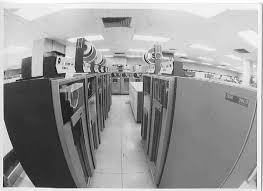
Greg Schulz of Computerworld shared some guidelines of tape virtualization. Tape virtualization is one of the popular topics when it come to storage. Some of the said advantages of making virtual tape libraries would include improvement of the performance of the back up, archiving and other related processes and smooth transition (from tape-based to disk-based).

Here are the ten points he raised in his article:

1. Integration of VTL in your business continuity, conditions of your site/location.
2. Storage devices to be attached to the VTL.
3. Projected storage capacity needed in the future.
4. Backup, archiving, etc. software supported.
5. Support of differencing or single-instance repository capabilities.
6. Determine if you are looking for a turnkey solution.
7. Resiliency and redundancy needed.
8. Security level needed.
9. Tape device and library emulation for your environment.
10. Necessary changes to your current setup.

The questions he raised in his article really make you consider your needs and the conditions of your system. All these questions will help you evaluate if you would use virtualization. You cannot just decide right away if you will use VTL because it could affect your system in a major way.

It is always good to look at the possibilities before arriving at some decisions like this one. It is best to do a full study before you spend on it. One of the important things you also have to consider would be the people who would be in charge of this project in your company. Who will be the ones in charge of the study and the follow up in case you do push through with it. Your data will be at stake so it is better to be safe than sorry.

Tags: , , ,

Categories: Backups, Physical Security, Storage, Tips

Leave a Comment

Teaching people about IT security

Written by Saran on June 24, 2010

teaching about it security

In general, teaching people is a difficult task. You have to carefully plan on how to address them and be relevant. Each person would have different needs. Whether you plan to teach your staff and employees, or your family and friends, you have to brace yourself.

Some of the factors that would affect how you would teach them about IT security are as follows:

  • the person’s experience with computers
    Has the person used a computer before? What has the person done so far? Install an operating system? Used some particular applications like word processing software or a web browser like Internet Explorer?
  • the person’s experience with going online
    Each of us would have had different experiences when it comes to our online presence and habits like downloading, checking email and the like. When it comes to downloading materials be it online textbooks or anything else, it would be good to take a profile of the sites the person uses as resources.
  • enthusiasm
    Whether you believe it or not, enthusiasm could affect the reception of the person to ideas and all that. Talking about security is not exactly the same as talking about your favorite car or favorite pet. Unless you think you could gush about firewalls and all those details, that is. Then again, it depends on the person’s experience, as said before.

No matter how easy or difficult it could be, no matter what background the person has, this is an important thing to learn. You are the one who can do it. May you teach them well.

Tags: ,

Categories: Real-World Issues, Security Policies

Leave a Comment

Sharing your computer and keeping your files intact

Written by Saran on June 18, 2010

computer sharing

Living at home means that you have to share your computer with other people. In some companies, people also share workstations in case that they have different work shifts. In any case, it is important for you to make sure that your files are safe. Especially those that you use for work and those that contain confidential information.

Here are some tips for you:

  • Make sure you are using a password that is not easy to guess.
    If people know you well enough, they could probably figure out what password you will use. People tend to use passwords based on words, names and dates that important to them. Examples are pets‘ names and anniversaries. If you do this, chances are those who know you will be able to log in your computer using your account. Try changing your passwords every so often and make sure that they will be easy for you to remember but difficult to guess. Think of some cipher for it.
  • Set permissions on your files and directories.
    You could set that your files and directories will only be accessible to you. Do a chmod on them. Then again, whoever has root access will be able to get through. Maybe it would be easy for you to do this if you are the one with root access.
  • Protect your files with passwords.
    Although not everyone agrees with this, some people do this for their own sake. They feel better to have password protected files. A drawback, of course, is that if it has a difficult password to remember, you might as well have deleted your files.
  • Log out of your account or profile.
    If you have set your file permissions that you are the only one who can view, edit and execute the files, it will be pointless if you don’t log out. When you are the one who is still logged on, you leave your entire session open for intrusion.

Hopefully these tips have helped you deal with some of your dilemmas with regards to sharing your computer with other users.

Tags: , , , , , , , ,

Categories: General, IT Security Basics, Privacy & Anonymity, Real-World Issues, Tips

Leave a Comment

Hashing Algorithms From A Cryptographic Perspective

Written by Saran on June 14, 2010

With the news of collisions and reductions in attack complexity in both MD5, a commonly used algorithm for checksums on file downloads and integrity checkers, and SHA-1, a commonly used cryptographic hash algorithm in many encryption products, this brings up the question of where to go next, if you are implementing software which uses cryptographically strong hashing.

The SHA (Secure Hash Algorithm) family of algorithms, validated by NIST, and standard hash algorithms for cryptographic use, contains not only SHA-1 but an older algorithm called SHA-0, for which attacks have also been reported, and the SHA-2 family, which consists of SHA-224, SHA-256, SHA-384 and SHA-512, collectively.

SHA-256 forms a new minimum recommendation, in many cryptographers eyes, given the attacks on SHA-1. Whilst these attacks do not rule out SHA-1 for general use, in order for new software making use of hashing algorithms to be secure for the near future; perhaps a decade, it is important to prepare for the attacks on SHA-0 and SHA-1 becoming more feasible, especially as the cost of computing goes down, and the power continues to rise.

SHA-224, SHA-256, SHA-384 and SHA-512 are all named respective to the number of bits in the output hash. The more output bits, the harder it is to create a collision, in general, unless there is a weakness in the hash function itself, as has been found in SHA-0 and SHA-1.

Of course, the SHA-2 family are based on SHA-1, with slight differences in design and larger output, so it is possible that these have potential attacks also, but the size of the brute-force space is dramatically increased, and so these variants of the SHA family will withstand attack for longer, and should prove reliable for the near future.

Looking into the long term, few solutions exist currently that are not based on the SHA format. There are two main contenders, currently, in the form of the RIPEMD family, and the WHIRLPOOL family.

RIPEMD comes in the following flavours, in each case, the number represents the hash size in bits: RIPEMD-128, RIPEMD-160, RIPEMD-256, and RIPEMD-320. RIPEMD-128 is a replacement for the original RIPEMD, which was found to have security issues, whereas the others all increase the output size, and therefore the associated security. Again, this family is based on a construct which has been proven susceptible to attacks in the past, so it is possible that the entire family could have weaknesses.

The other main alternative, WHIRLPOOL, has no known attacks, and has had two major changes to further improve its security.

WHIRLPOOL is a 512-bit hash function. The changes mentioned involve a change from a randomly generated s-box (substitution box) to one designed to be cryptopgrahically stronger, and also easier to implement in hardware, along with a change in the diffusion matrix.

Some leading cryptographers are calling for new cryptographic hash functions to be designed, perhaps in the same design-by-committee method as the AES encryption standard.

Tags:

Categories: Cryptography

Leave a Comment