Wireless Security Tips

Written by Saran on September 30, 2010

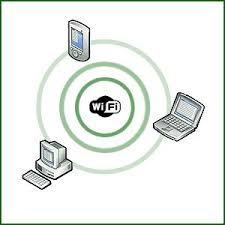
Wireless networks are becoming increasingly common these days, ranging from home use to businesses. Increased mobility within the network’s range and the reduced cost of installing a LAN without cabling are but some of the advantages you can get when using Wi-fi. It’s major disadvantage lies in the higher security risks of unscrupulous users hacking into your personal data and gaining access to the Internet to your network. Here are a few precautions you could take to ensure your network security:a laptop

Change the default administrator passwords. Default administrator passwords to network devices are easily available online and well-known to hackers. Most routers allow you to change this easily.

Turn on data encryption. This allows you to scramble the messages and data sent through the network. Most devices come from the manufacturers with this option turned off, so users have to activate this. Also note that all Wi-fi devices in your network must share the same data encryption settings to work together.

Disable SSID broadcast or change the default SSIDs. SSID is short for service set identifier, and is attached to the header of all packets in a wireless network. It also uniquely identifies your network. This is broadcast at regular intervals, and hackers can use this to identify vulnerable networks. Also, change your SSID from the default, and refrain from using IDs that can reveal who owns your router and where it’s located.

Restrict the computers that can access your network. You can do this by filtering the MAC (Media Access Control) addresses to those of the devices in your network.

Install antivirus software and firewalls. This might seem obvious, but after the initial install most users forget to update their virus definitions. Computers on a wireless network needs the same protection as other computers.

Tags: , , ,

Categories: IT Security Basics, Real-World Issues, Tips, Wireless Security

Comments Off

IT Security – the outlook for 2008

Written by Saran on December 28, 2007

think.jpg
Wireless networks and ways of protecting them will top most of the IT Security issues for the coming year. Predictions place wireless networks to slowly take over the now existing networks and development into WiMax which has more coverage area in terms of distance compared to WiFi is making this a fast reality. Players in the WiMax development include the biggest names in the wireless network area such as Intel, Samsung, Motorola and many more. Innovations will continue to push the technology to better and improved performance like never before.

Studies also show that more and more workers are turning to wireless computing for their network and office needs doing what they do in the most unlikely places such as coffee shops and anywhere else they can get a stable and sustainable connection. It also raises ethics issues for people will no longer be out of reach of networks and equally their jobs. Family time and other more casual needs for privacy and quiet time will be secondary for your boss can always reach you anywhere on the planet there is coverage of a network.

The death of satellite based communications has spurred rapid development of Voip allowing anybody connected to the internet instant access to telephone-like services without the use of dedicated telephone lines. This saves on telephone bills and has been in use heavily initially with call centers and has now shifted to mainstream use so more is to be expected of the technology in the years to come which may ultimately result in the death of the standard telephone service many opting for high-speed internet access instead.

The release of the Quad-core processors and planned development of more multi-core microprocessors fuels the future of laptop supercomputers which may come in following years. This and all of the better and improved technology will allow computing to soar into new heights making them a mainstay in our everyday lives for the future.

[tags]Multi-core Processors, Mobile Computing, Mobile Workforce[/tags]

Tags: ,

Categories: General, IT Security Basics, Network Security, Physical Security, Privacy & Anonymity, Real-World Issues, Security Policies, Storage, Wireless Security

Leave a Comment

Dangerous XP Vulnerabilities continue to be discovered… and re-discovered.

Written by Saran on November 13, 2007

Many of us have been using Windows XP for quite sometime in it’s many forms and versions. We have Media Center Edition, Windows XP SP1 and the one which is now most common Windows XP SP2. An independent demonstration of vulnerabilities by the British Government and Private industry (which was also an indirect drive to get more people to shift to the more recently released Windows Vista) to show a wide open gap in the security measures implemented by computers still using Windows XP SP1 without any protection (anti-virus, firewall and other upgrades implemented by the parent company after the products were released to the public).

The test involved two officers from a special task force that handles crimes such as those related to computer fraud, piracy etc. It showed how easy it was to get hold of tools that searched for vulnerabilities on a computer running the said Operating system without the owner/user even knowing about it. These tools are widespread on the internet and can be downloaded for free. After getting knowledge of the vulnerability list which can include open ports and much other wireless vulnerability, the second officer then proceeded to make a program in MS-DOS which was then sent and executed onto the victim computer.
Viola, in a matter of minutes the second officer has gotten hold of many vital files such as password lists, credit card information, bank statements and other personal information that may be stored into the said victim unit under a quarter of a minute.

Many such vulnerabilities have been discovered in the XP generation of Operating Systems since its release in 2003 and Microsoft has continued to come out with patches to resolve such issues. Vulnerabilities such as simple programs that can disable the windows firewall have been publicly released on the internet and are quite numerous. To date, Microsoft has managed to keep up with these vulnerabilities but XP remains open malicious attack. Asked for their opinion, a Microsoft executive replied that it truly was alarming but that all those vulnerabilities have been addressed with the release of XP SP2 and all subsequent updates and patches.

Tags: , , , ,

Categories: General, IT Security Basics, Malware, Network Security, News, Operating Systems, Real-World Issues, Security Policies, Wireless Security

2 Comments

Firewalls and Wide Area Network (WAN ) Intrusions

Written by Saran on January 18, 2007

Experiencing connection problems and slow transfer of data may occur at any given time for most networks. While most would immediately identify the network cards, computers, cabling or network configuration at first, the presence of unknown processes of the operating system or possible intrusions such as DOS or Ping attacks can also be considered as possible factors for the deteriorating speed issues for network administrators.

Firewalls

Such instances are only normal, especially for wide area networks, or networks exposed to the Internet. The mischief caused by such people can be expected, especially for people who love to try their talent in hacking and network intrusions. The prize of which is that of creating discomfort and headaches for companies that thrive on networks for business and profit.

While there are network monitors available, it would be best to get the best firewall software there is today. Some do not value the firewalls and their use until such issues arise, but just like the war on terrorism, it would be best to take on security measures before they occur to avoid bigger problems once their mischief succeeds.

Tags: , , , , , , ,

Categories: IT Security Basics, Network Security, Operating Systems, Physical Security, Programming, Real-World Issues, Security Policies, Wireless Security

Comments Off

The Bearing of an Internet Gateway’s Malfunction or Breakdown

Written by Saran on January 4, 2007

Broken Chain in the Web

A lot of people have probably heard about now about the earthquake that hit Taiwan during the holiday break. While the natural disaster caused a lot of discomfort to the Taiwanese community, the world has suffered as well in terms of Internet connection speed.

Taiwan is among the chains or gateways to which the Internet also passes through. Similar to that of a hose that allows water to pass through from one point to another; one hole in it will lower the pressure of the amount of water that should be traveling. In the same way, the underground cables to which help transmit Internet connections from one point to another were damaged and thus today, many are experiencing lousy connection speeds. This has thoroughly disrupted the flow of operations, becoming a discomfort that has left surfers and professionals totally helpless.

Natural disasters are hard to predict. The best that technology personnel can do is come up with better cable durability, but this is no promise for disruptions as we are experiencing today. Among the millions that have been damaged by this untimely event, technology based companies and organizations are surely suffering the most for the gapping whole in the entire connection the web provides.

[tags]internet, gateway, connection, fiber optic, cabling[/tags]

Tags: , , , , , , , , , ,

Categories: Network Security, News, Operating Systems, Physical Security, Real-World Issues, Wireless Security

Comments Off

WiFi Protected Access – Why You Need It

Written by Saran on December 17, 2006


802.11 Wired Equivalent Privacy (WEP) doesn’t provide enough security for most enterprise wireless LAN applications. Because of static key usage, it’s fairly easy to crack WEP with off-the-shelf tools. This motivates IT managers to use stronger dynamic forms of WEP.

The problem to date, however, is that these enhanced security mechanisms are proprietary, making it difficult to support multi-vendor client devices. The 802.11i standard will eventually solve the issues, but it’s not clear when the 802.11 Working Group will ratify the 802.11i standard.

As a result, the Wi-Fi Alliance has taken a bold step forward to expedite the availability of effective standardized wireless LAN security by defining Wi-Fi Protected Access (WPA) while promoting interoperability. With WPA, an environment having many different types of 802.11 radio NICs, such as public hotspots, can benefit from enhanced forms of encryption.
Inside WPA

WPA is actually a snapshot of the current version of 802.11i, which includes Temporal Key Integrity Protocol (TKIP) and 802.1x mechanisms. The combination of these two mechanisms provides dynamic key encryption and mutual authentication, something much needed in WLANs.

As with WEP, TKIP uses the RC4 stream cipher provided by RSA Security to encrypt the frame body and CRC of each 802.11 frame before transmission. The issues with WEP don’t really have much to do with the RC4 encryption algorithm. Instead, the problems primarily relate to key generation and how encryption is implemented.

TKIP adds the following strengths to WEP:

48-bit initialization vectors. WEP produces what’s referred to as a “keyschedule” by concatenating a shared secret key with a randomly-generated 24-bit initialization vector (IV). WEP inputs the resulting keyschedule into a pseudo-random number generator that produces a keystream equal to the length of the 802.11 frame’s payload. With a 24 bit IV, though, WEP eventually uses the same IV for different data packets. In fact, the reoccurrence of IVs with WEP can happen within an hour or so in busy networks. This results in the transmission of frames having encrypted frames that are similar enough for a hacker to collect frames based on the same IV and determine their shared values, leading to the decryption of the 802.11 frames. WPA with TKIP, however, uses 48-bit IVs that significantly reduce IV reuse and the possibility that a hacker will collect a sufficient number of 802.11 frames to crack the encryption.

Per-packet key construction and distribution. WPA automatically generates a new unique encryption key periodically for each client. In fact, WPA uses a unique key for each 802.11 frame. This avoids the same key staying in use for weeks or months as they do with WEP. This is similar to changing the locks on a house each time you leave, making it impossible for someone who happened to make a copy of your key to get in.

Message integrity code. WPA implements the message integrity code (MIC), often referred to as “Michael,” to guard against forgery attacks. WEP appends a 4-byte integrity check value (ICV) to the 802.11 payload. The receiver will calculate the ICV upon reception of the frame to determine whether it matches the one in the frame. If they match, then there is some assurance that there was no tampering. Although WEP encrypts the ICV, a hacker can change bits in the encrypted payload and update the encrypted ICV without being detected by the receiver. WPA solves this problem by calculating an 8-byte MIC that resides just before the ICV.

For authentication, WPA uses a combination of open system and 802.1x authentication. Initially, the wireless client authenticates with the access points, which authorizes the client to send frames to the access point. Next, WPA performs user-level authentication with 802.1x. WPA Interfaces to an authentication server, such as RADIUS or LDAP, in an enterprise environment. WPA is also capable of operating in what’s known as “pre-shared key mode” if no external authentication server is available, such as in homes and small offices.

An issue that WPA does not fix yet is potential denial of service (DoS) attacks. If someone, such as a hacker or disgruntled employee, sends at least two packets each second using an incorrect encryption key, then the access point will kill all user connections for one minute. This is a defense mechanism meant to thwart unauthorized access to the protected side of the network.

You will be able to upgrade existing Wi-Fi-compliant components to use WPA through relatively simple firmware upgrades. As a result, WPA is a good solution for providing enhanced security for the existing installed base of WLAN hardware.

The eventual 802.11i standard will be backward compatible with WPA; however, 802.11i will also include an optional Advanced Encryption Standard (AES) encryption. AES requires coprocessors not found in most access points today, which makes AES more suitable for new WLAN installations.

Tags: , , , , , ,

Categories: IT Security Basics, Network Security, Real-World Issues, Security Policies, Storage, Tips, Wireless Security

Leave a Comment

The Nmap Scanner

Written by Saran on November 20, 2006

The nmap port scanner can be used by attackers to determine which ports are open on a remote system, and which services are running on those. Recent versions are even capable of fingerprinting the exact application and version number running, allowing an attacker to fine-tune their attack to such a system.

But nmap was not designed for this purpose, it was designed to help the network administrator prevent attacks by doing the same thing; checking their network for points of weakness.

When setting up servers, firewalls or other network-connected systems, I always run an nmap scan on the “finished” system, and then lock down anything which appears that doesn’t need to be accessed from the outside world. On a Linux system, for instance, X11 and services such as MySQL may listen on TCP ports, but there is often no need for a remote system to connect into these services. In such a situation, firewall rules allowing only localhost (127.0.0.1) to access these ports prevents them showing in any subsequent nmap scans (provided the scans are from a remote machine!).

Nmap supports many scan types, designed to obtain information about the network (ping sweep scanning, for instance), the open ports (TCP connect, UDP and half-open, or stealth, (SYN) scanning), and the operating system and services running (OS and service fingerprinting).

Each scan type provided by nmap can give the system administrator useful information, and by thinking along the same lines as an attacker, the administrator can often close off parts of the network, lock down services on accessible systems, and generally reduce the avenues of attack. Nmap is an essential tool in highlighting which of these avenues are open in the first place, allowing an administrator to block potential attackers before they become a problem.

Tags: , , , ,

Categories: Cryptography, IT Security Basics, Network Security, Real-World Issues, Wireless Security

Comments Off

VoIP Going Mobile

Written by Saran on October 9, 2006

the latest in the N31 seriesSeveral companies are attempting to apply Voice over Internet Protocol (VoIP) to mobile phones. T-mobile announced that they are going to launch mobile wi-fi cellular hybrids by the end of the year. Once these phones detect a Wi-fi connection they will automatically switch to the Wi-fi and connect calls through VoIP without interruptions.

Companies used VoIP technology to make calls are increasing, cutting down the cost of long-distance calls, but so far it’s been limited to office or home use. Cellular phone companies like Nokia have launched the N80 Internet Edition, their latest products with mobile phone-based VoIP. The road to this conversion has not been smooth, however. Last month major VoIP company Skype announced that there will be delays for their plans to expand their services to mobile phones due to technical difficulties and the lack of compatible handsets. But it’s certainly only a matter of time before users get a wide variety of VoIP-related services on their mobiles.

VoIP may end up being cheaper than conventional mobile calls, but the same security concerns that plague VoIP will apply to this developing technology. There are still encryption issues for the data packets sent over the Internet, and the possibility of having calls eavesdropped or even rerouted by attackers. The worst posssiblity would be a denial of service (DoS) attack that can degrade call quality or completely crash the end service. So far there has been no clear-cut solutions to these problems, and users must be aware that these security issues exist.

[tags]voip, mobile. security[/tags]

Tags: , , , ,

Categories: News, Real-World Issues, Wireless Security

Comments Off