Among the features that most mobile phones have today is that of features that include the Bluetooth and Infrared connectivity as a means of wireless connections. While such advancements has made it easier for people to transfer files such as images and sounds from one phone to another, it also becomes a loophole to allow viruses to infect the operating system of mobile phones today.

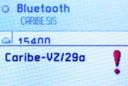
Worms such as Cabir, have become the onslaught of rampant mobile phone intrusions, something that uses the Bluetooth connectivity as a means of infecting mobile phones of today. Once they get through, malfunctions and error messages are sure to ensue, making it a need for the software systems of mobile phones of today to be either formatted or disinfected with available anti-virus and worm removers such as Panda Software.
Inconvenient as it may seem, it is advisable for mobile phone owners to refrain from activating their Bluetooth connections to avoid such infections and untoward intrusions at any time.
Tags: bluetooth, cabir, connectivity, viruses, worms
Categories: IT Security Basics, Malware, Operating Systems, Real-World Issues, Spyware, Tips, Wireless Security
Whether you are downloading a trialware or files from Bittorrent, the chances of cracking or using the full version has severely dwindled in the past months. For one, other than possibly downloading infected software with Trojans and malware, unlocking these supposed protection software has taken a bad hit by the advanced efforts of private software companies to crack down on piracy.
Take for example Kaspersky Internet Security 2009 which has cracked the whip on licenses by blocking them once you start updating the software. While you can install and crack them, they are rendered useless in the end since once you hit that update option, your key is automatically blocked. Worst, malware and Trojans start coming in (a scenario which I don’t understand if it was made on purpose by the vendor in sending malware) infecting the systems folder where Windows is installed.
Before you know it, dozens of files in the form of dll’s start showing and mind you, they are dangerous. So if that was the case, it makes you think if you were better off not using an anti-virus software at all.
But such is the price to pay for trying to pull a fast one. Everyone loves free things and free software is surely to be an eye-catcher. But if the return is tons of viruses and malicious programs that can wreck your computer, you better think twice before downloading them again.
Tags: cracked, kasperksy, Malware, software, trojans, viruses
Categories: Operating Systems, Spyware
The growth in the use of removable storage devices has been evident in the past years and while they mainly just carry files made up of audio, video or simple documents and worksheets, they are vulnerable to virus attacks. How do they get them? Well for one, you never know if the original location of the file you were working on was virus free. This is assuming that you are transporting the file from one PC to another.
Also, you can never be too sure that once you plug on the usual USB drive from one computer to another, viruses may sneak past you. They may be equipped with anti-virus software but somehow you have to be amazed at how they breach the computer guards and make their way on USB drives.
So what is a person to do? Well for one, stick to the old practice of scanning a removable storage device first before you open any file on it. It may take a long time to finish, especially if the device is large in terms of capacity but nothing beats waiting than making sure you are protected.
Further, people fascinated with these miniature storage devices could care less if their files are infected. Sometimes it is not the file but the operating system that these storage devices contain. But make sure about it that while they have operating systems of their own, they do not have virus protection. Just be cautious, since that is the best you can do for now.
Source
Tags: storage device, usb, viruses
Categories: Malware, Operating Systems, Spyware, Storage
For some people, seeing sudden pop-ups serving as warnings by protection software can be irritating. While it only shows that you were warned of a potential threat, some people do not really care that much as long as nothing goes wrong. There are some software options that allow you to turn it off. But for the sake of knowing what type of potential threat you may have had, it would be best to keep it on for a better understanding of what you are dealing with.
Most programs like BitDefender do this. Programs that combine anti-virus and anti-spyware protection can be sophisticated at times but the main issue here is that they are protecting you and not annoying you. So if you get a message telling you that they have blocked a potential threat to your computer is concerned, read it and then just discard it. It is the best way to understand what harmful objects are set out on the web today.
But once they are detected, what is a PC user supposed to do? In these cases it would be best to delete all the temporary files on your IE folder so that no trace of these harmful Trojans will remain.
Do not think that just because they were blocked, that is the end of it. They are still residing in your computer. So to ensure they are completely gone, delete all the temporary files at your control Panel by clicking on Internet options and deleting all cookies, temporary files and browsing histories.
Tags: antivirus, protection, Spyware, viruses
Categories: IT Security Basics, Network Security, Operating Systems, Spyware
It should not really be surprising at how mobile phones would be the target of most viruses today. For one, they are the hot commodities we hear of today and similar to PC computing before, they are the hot target viruses want to wreck havoc on.
It is not really constrained to creating a mess. They are a challenge. Their wireless means of surfing the web and using programs that may be hard to penetrate with the basic security features is the penetration issue that any hacker today would want to conquer.
Spammers are bound to have their teeth in as well. These two juvenile delinquents of the cyber world are bound to be aggressively aching to get their name in the mobile internet issues. The opportunity is simply too tempting to pass up.
According to its annual Emerging Cyber Threats report, cybercriminals will start targeting smartphones as they are being used more frequently by users when it comes to financial matters and therefore are a source of sensitive personal data such as credit card and bank account details.
Source
Tags: cyberworld, mobile phones, viruses
Categories: IT Security Basics, Network Security, Real-World Issues, Security Policies, Spyware, Wireless Security
You just have to look at how Microsoft always announces certain patch releases for their software these days. Nothing is definite and safe just yet especially if you consider hackers and computer geeks trying to discover flaws in certain computer software such as an operating system. There will always be something discovered and the loophole can be entirely critical and dangerous.
Unlike in the latter 1990’s, today we rarely see patches being given since they have more or less covered the security threats ranging from viruses to malware today. There are still recommended patched needed. But surely, they are not as rampant and dangerous compare to before. And to make sure that you are using authentic software, they make use of software authenticity codes to know if you are using genuine software or not.
Microsoft can be commended for this but it still remains that there are still a lot of flaws as far as their software releases are concerned. But to make sure that customers do not experience these unfortunate mishaps, a continuous research and development for such threats has to be implemented. We can see these days that something will suddenly break out and if you are not protected, chances are you are missing a patch.
As much as possible, apply these patches. If you are in doubt, read on them or even ask for technical support. Security breaches in the IT world are common and to stay away from such a discomfort, it is best to be updated and make sure you are well-protected.
Tags: Malware, Microsoft, patches, security, viruses
Categories: IT Security Basics, Malware, Operating Systems
The Anti-Virus industry has been rendered ineffective for quite sometime and this came into attention only with one industry expert speaking out of the crowd to say so “AS IS”. We have all been under the impression that the security of our PC’s, Laptops and other computers has been quite effective and robust with online active updates that allows them to deal with evolving threats. The problem is as the discussion states, how do you deal with today’s millions upon millions of viruses and other forms of threats without super-computing status? You can’t, that is the reality we have to face that there is no one solution to the problem and that it is going to stay that way.
Anti-virus software engineers do their jobs round the clock to prevent these malware form doing the most harm on the millions if not billions of computers around the world that connects to the internet daily. As one sector of the globe goes to sleep, another wakes up to a new day of infections and threats that is exaggerated more by the constant online status of some pc’s meaning they are always connected whatever time of day it is. Imagine scanning through a database that can give you the ability to determine a virus among the millions of known types, variants and mutations (even with a super-computer it takes time) every time you download a file or click on an internet link, that would be unfathomable. The best these guys can do and hope for is that they (the many anti-virus vendors) get to the problem early on when the virus or malware is still propagating when they can still reverse engineer it, then issue the proper identifiers along with the removal instructions that they send out to their respective clients hoping they are still not infected and spreading the virus themselves.
If they already are infected, it takes more time to formulate an approach on how to remove the problem form the computer system leaving it untouched and without the threat. This is almost next to impossible for any seasoned PC user knows that anything that is installed stays installed (even fragments of files and other programs) long after the known un-install procedure has been done. The only sure way to clear an infected system would be to re-format the hard drive and then re-install the whole myriad of software and drivers that came out with the PC (most of them are lost during the years necessitating an online search from manufacturer sites and other help sites which may also be infected), losing them is suicide for a PC without proper drivers is like a car without brakes that constantly breaks down and has to try to get itself to run to a level of its former self.
Tags: anti-virus, Malware, Software development, viruses
Categories: General, IT Security Basics, Malware, Network Security, News, Operating Systems, Privacy & Anonymity, Real-World Issues, Security Policies, Spyware, Tips
Recent studies are showing that having merely traditional Anti-Virus Programs Installed onto a computer is proving to be highly ineffective with today’s code morphing malware. The complexity and uncanny ability of these malware to change signatures defeats most if not all intrusion prevention systems. Hackers have also capitalized on the fact that users trust content that is seemingly from legitimate sources like the recent incident with a Goggle Mail application which is used to archive email from the email company’s servers which incorporated information gathering code. The problem was only found when a programmer unknowingly de-compiled the program and found an email address along with a log-in password to the program author’s mailbox. Upon using the derived information to get into the email account, he found several user information along with usernames and passwords of others who have used the program. He took drastic steps and deleted all information (email) he found not to be the author’s and informed the company which released the program about the incident. The developer simply said an error checking routine or some draft code was arbitrarily left within the released version. They promise not to do so in the upcoming versions of the said archiving program…. Yeah Right.
People have been warned again and again regarding the risk of getting free software and other free stuff that seemingly comes from legitimate sources (not the developer’s page) for they may have embedded payload which they unload once installed. Current Trojans also use swift actions to copy itself onto all peripherals(flash disk, digital camera, digital media players, PDA’s and other similar devices which can hide the code) attached to the system it infected so even a complete Operating System reinstall would only result in reinstallation if re connected to the same system. Other malware simply use the email addresses within certain programs like outlook and messenger sending out copies of itself to all those listed and infecting further computers as it travels all over the world.
The scenario has come to the point experts are talking about implementing a white list of sorts of all valid applications, sources for all legal and safe systems which are to be allowed access to their systems. This would have a sort of inventory program which keeps track from online sources of trusted sites and sources of files and rejecting those which are not included. Manual inclusion would be the Achilles’ heel of such an audit system for any wrong addition would again make it vulnerable to attack.
Tags: Anti-Viruses, Malware, viruses
Categories: General, Malware, Network Security, News, Real-World Issues, Spyware
Experts have said it again and again and history has shown us that money is the root of all evil and so it goes the same for the development and eventual spread of more sophisticated malware intended for the ever growing mobile computing environment. Current malware is simple yet experts are warning users and other experts alike that it would only be time before some hacker develops a more robust and discreet form of malware that would circumvent standard virus scanners. As we have seen and read in news articles, these viruses, Trojans and other forms of malware are evolving so fast that removal and detection experts are finding it very hard to get one step ahead of them. In the time it takes to read this post, about 35 or so new types of malware would have been released into the wild to infect any of the millions of unprotected systems over the internet. The problem has gone into the pandemic stage that no system is safe for long. The soonest a new and more robust intrusion prevention and security system is in place, several new vulnerabilities in the computer systems we use are found and immediately exploited by hackers and their minion.
Economics or the promise of earning a buck from such malware creation and spreading is the major motivation for hackers. Say you get into the cell phone of your favorite Celebrity and get hold of private pictures, or get hold of a confidential report which lists the amount of funds along with the corresponding account information and much more information that one can sell quite profitably over the internet.
Tags: Malware, Mobile Malware Threat, viruses
Categories: Cryptography, General, IM, IT Security Basics, Instant Messaging, Malware, Network Security, News, Operating Systems, Real-World Issues, Security Policies, Spyware
People who own computers who have given up hope for remedying the problems that their workstation has solicited, either from viruses, Trojans or spyware will normally resort to formatting and re-installation of all programs to make things easier for them. This is usually the case for people who would not bother finding ways on solving such issues, the less technical savvy people who want the best and fastest solution to such issues.

People, often referred to as geeks would go at anything to be able to find alternative solutions without having to resort to the dreaded formatting decision since it will entail a lot of issues such as data loss and re-programming as well. While it is true that it is like doing a general cleaning for the entire workstation, historical files and programs will surely be missing one by one. But it is also like starting from scratch and locating the files and programs that a person has been used to having around.
[tags]computer, formatting, programming, viruses, spyware[/tags]
Tags: computer, formatting, Programming, Spyware, viruses
Categories: Backups, IT Security Basics, Malware, Operating Systems, Programming, Real-World Issues, Spyware, Storage, Tips