Tape virtualization guidelines

Written by Saran on June 29, 2010

mainframes

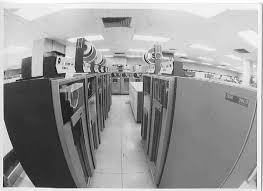
Greg Schulz of Computerworld shared some guidelines of tape virtualization. Tape virtualization is one of the popular topics when it come to storage. Some of the said advantages of making virtual tape libraries would include improvement of the performance of the back up, archiving and other related processes and smooth transition (from tape-based to disk-based).

Here are the ten points he raised in his article:

1. Integration of VTL in your business continuity, conditions of your site/location.
2. Storage devices to be attached to the VTL.
3. Projected storage capacity needed in the future.
4. Backup, archiving, etc. software supported.
5. Support of differencing or single-instance repository capabilities.
6. Determine if you are looking for a turnkey solution.
7. Resiliency and redundancy needed.
8. Security level needed.
9. Tape device and library emulation for your environment.
10. Necessary changes to your current setup.

The questions he raised in his article really make you consider your needs and the conditions of your system. All these questions will help you evaluate if you would use virtualization. You cannot just decide right away if you will use VTL because it could affect your system in a major way.

It is always good to look at the possibilities before arriving at some decisions like this one. It is best to do a full study before you spend on it. One of the important things you also have to consider would be the people who would be in charge of this project in your company. Who will be the ones in charge of the study and the follow up in case you do push through with it. Your data will be at stake so it is better to be safe than sorry.

Tags: , , ,

Categories: Backups, Physical Security, Storage, Tips

Leave a Comment

Data or Program: Which are you really Safeguarding?

Written by Saran on September 30, 2008

When it comes to network security, the main focus is to of course protect your IT infrastructure. But if you had a choice, which is really important; the program or the data you have gathered?

At first glance it would have to be the data for sure. Software programs can be easily modified and replaced depending on the requirements of any organization. Database protection is important since without it, companies have no basis for analysis and comparison as far as actual performance and reference for clients stored in the database is concerned. If you had to rate both, it would be data first and software second.

There are other people who put premium on software of course. But this will depend on their contingency plan better known to most IT professionals as backed up or archived data. Normally this is so basic that you don’t need to remind anyone the need to have archived historical data in cases where system crashes or intrusions may occur. There will always be scheduled backups and archiving for any program using entity since these are valued and important as far as linking all transactions and tracing revenue.

But the actual safeguarding of these two IT elements is how you expose it. There are usually policies governing the actual level of exposure such as net presence or the use of external storage devices like CDs and floppy disks. Normally, these are discouraged but knowing people who are hard headed today, some of them still ignore these policies and even get away with it.

Tags: , , ,

Categories: Backups, IT Security Basics, Network Security, Operating Systems, Security Policies

3 Comments

Data Recovery and Restoration

Written by Saran on January 20, 2007

Most databases are usually backed-up at certain scheduled times, largely due to avoid possible data corruption stemming from system crashes. It is best to back-up regularly and store them in another external storage data, usually in the from of back-up tapes or compact discs, so that historical data can be rolled back towards the actual time where the data had been stored.

Periodical Data Back Ups

Ideally, people who are not in business would not resort to a data backup regularly. The degree of importance of certain documents may not be as essential compared to that of business entities. The importance of archiving pertinent documents would not usually be realized unless they really find themselves on the spot.

It is true that people will only heed warnings once they have actually occurred. But to people who have already been through this process would agree that it provides more discomfort and problems rather than being at ease when such unforeseen events would take place.

[tags]back-ups, data recovery, data restoration[/tags]

Tags: , , , , ,

Categories: Backups, Real-World Issues, Tips

Comments Off

Back Up Files for Added Security

Written by Saran on December 21, 2006

At the rate that hackers and more people are becoming wiser as far as discovering technology and its flaws today, the best way is to have ready back-up procedures for databases and important documents and spreadsheets just in case of system intrusion and crashes. While it is true that most companies are continuously developing software to be able to limit such malicious intentions, it cannot be discounted that the safest way is to have ready back-ups which can be easily restored at any time of their liking.

Archiving and Backup Files

The question is when to back-up and what to back up. For most people, backing up periodically is the common practice. But for more important documents and reference materials, archiving them as often as possible is the safest way to be sure. People should not wait for the last minute to back-up their files since with the fast pace of technology comes the fast pace development of hackers today.

[tags]backup,archiving,network security[/tags]

Tags: , , , , , , ,

Categories: Backups, IT Security Basics, Network Security, Security Policies, Storage, Tips

Comments Off

Legal Software Updates

Written by Saran on November 12, 2006

windows

Anecdotes from people are interesting all the time. There is this one person who was using a pirated copy of Microsoft Windows XP. One time, this person tried getting the security updates. Then something happened: this person had a message on the computer that the copy of Microsoft Windows XP is pirated and if the person wanted to keep on using it with security updates and stuff like that, a legal copy must be purchased. Now the thing is that everytime the computer is booted up, it shows that message. The person told me this: the moral lesson for those using pirated software is to not update!

Then again, how could one keep on using software that hasn’t been updated? There are security updates and sometimes they are critical ones. If you can’t get them for your system, you never know what you are exposing your computer to. Think of the MySpace news some time ago. Internet Explorer had a vulnerability. If you are a user who did not update, you would have probably been a victim.

Now we see from this anecdote that it is important to have legal software. We do not just have something we could use without guilt but we also get whatever updates the developers have in store. It would be bad for productivity to keep on dealing with malware and viruses because of the lack of updates.

If you are someone who can not afford legal copies of software because they are expensive, you could always download free and open source software. That way you have legal software and you could secure your system because you would have legal access to the security updates and all that.

Tags: , , , , ,

Categories: Backups, IT Security Basics, Network Security, News, Privacy & Anonymity, Spyware

Comments Off

How you backup is important too

Written by Saran on October 19, 2006

426118_hard_drive_internal.jpgBack up frequently and often. That was a personal mantra in the days when system crashes, virus infections, and floppy disks. These days I still follow it, by burning files onto CDs; it’s better to have duplicates of the same file rather than losing them by a careless press of the button. Here are a few tips to help you while making a data backup.

A good thing to remember while backing up is to avoid proprietary file formats. These are formats that are copyrighted to a specific company, like .doc from Microsoft. It may seem unimportant at first, but it can spell a lot of difference. The extra knobs and frills added to your files as formatting can render it unreadable by other programs. Though this problem isn’t very common these days since most applications now try to give support to the most common file formats, it still happens. Better to be safe than sorry about that project you’ve been slaving to finish for weeks. In the case of large graphics I’d recommend saving in a format where image elements or layers can be separate from each other. After each major change, save a copy of the new image separately, just in case you have to go back and alter a completely different thing. It’ll save you from a major headache later. If the large file size daunts you, compress it and label with the date and what version it is. It can shrink by up to a quarter of the original file size. That way you know which zip, rar, or tar contains the image you’re looking for.

Speaking of file compressions, if you want to backup your data in compressed files, make sure to organize your files logically before tarring and zipping. I have to sort my files weekly to make sure my documents and pictures are in the right folders. I have my articles, personal e-mails, blogs, and images in separate folders, so that once I compress them I know where everything went. Label each clearly; this applies to CDs and any backup file you make. I still find zips and CD backups from two years ago in my computer, named only with the date I made them, and I have no clue what they contain. Spare yourself the trouble of opening and checking every one of them.

[tags]security, backup, tips[/tags]

Tags: , , ,

Categories: Backups, Tips

Comments Off

Making backups as a part of your regular routine

Written by Saran on September 5, 2006

dvdWhether you are a home computer user, a blogger, a freelancer, an office employee, making backups is an important task that you ought to schedule. After all, you never know what will happen. That is the dilemma that we all have. The moment a computer virus hits our systems or maybe some natural disaster or maybe even theft of our hardware, we could lose every bit of data.

There are different needs for each case. Take freelancers, for example. If you think about it, they have different clients, peak season for projects, etc. If you are a freelancer, how do you make backups? I know someone who makes backups every month, just to make sure that the articles are all together. There are even checklists to make sure they are intact.

For some companies that are involved mainly with graphics, they make weekly backups. It is to make sure that when their clients look for the materials, they have them immediately. They burn the files on discs so that they are handy. Aside from that, there are also some companies that have dedicated file servers. In case you have a setup wherein people could save their files on to the servers, make sure that those are the important files which are critical for your operation. It might be difficult to create a policy for such but it’s the best way to go about it.

Backups are practical. There are also news about developments in terms of optical storage media so stay tuned. These new kinds of optical storage media would impact not only those who are heavily into downloading but more importantly, the ones who are making sure that the data could be recovered in case of a security breach.

[tags]security,storage[/tags]

Tags: , , , ,

Categories: Backups, IT Security Basics, Physical Security, Storage

Comments Off