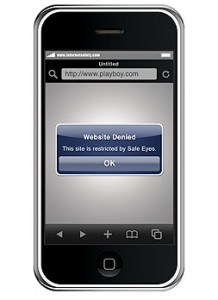
 Have an iPhone? Or maybe you have another smartphone. Personally, I am setting my eyes on the Google Nexus One. It’s just as pretty and from most accounts, it is even more functional than the Apple iPhone.
In any case, most everyone has a smartphone now and that means that their children are getting exposed to mobile computing as well. If you think that it’s such a headache to ensure that children are protected when they go online on laptops and home computers, then think again. It’s even more of a hassle to make sure they are safe on mobile platforms!
One thing you can do about the iPhone is to use the built-in parental control. More than that, however, you can check out Safe Eyes Mobile, a web browser made specially for the iPhone. It gives you additional control on top of the parental controls that the iPhone has.
Forrest Collier, CEO of InternetSafety.com endorses this mobile web browser:
“Apple has gone a long way toward child-proofing the iPhone with the new parental controls in the iPhone 3.0 software, but those controls apply only to content that Apple itself distributes through iTunes and the App Store. They don’t address the #1 source of objectionable material: the Internet. If you combine Apple’s parental controls with a browser that blocks pornography and other offensive websites, however, you can completely protect your child from harmful content both online and off.”
At the end of the day, these are excellent tools but I believe that your parenting skills will still emerge as the most important factor.
 I have become more active on Tweeter in the past months, mainly due to a self-imposed Facebook hiatus. I just found Facebook to be so tiresome and irritating (not just the platform but the people using it). I have had my Twitter account for many years now but I rarely use it. Now that I have been using it a lot, though, I realized that it is NOT exempt from spam.