Data or Program: Which are you really Safeguarding?

Written by Saran on September 30, 2008

When it comes to network security, the main focus is to of course protect your IT infrastructure. But if you had a choice, which is really important; the program or the data you have gathered?

At first glance it would have to be the data for sure. Software programs can be easily modified and replaced depending on the requirements of any organization. Database protection is important since without it, companies have no basis for analysis and comparison as far as actual performance and reference for clients stored in the database is concerned. If you had to rate both, it would be data first and software second.

There are other people who put premium on software of course. But this will depend on their contingency plan better known to most IT professionals as backed up or archived data. Normally this is so basic that you don’t need to remind anyone the need to have archived historical data in cases where system crashes or intrusions may occur. There will always be scheduled backups and archiving for any program using entity since these are valued and important as far as linking all transactions and tracing revenue.

But the actual safeguarding of these two IT elements is how you expose it. There are usually policies governing the actual level of exposure such as net presence or the use of external storage devices like CDs and floppy disks. Normally, these are discouraged but knowing people who are hard headed today, some of them still ignore these policies and even get away with it.
Tags: , , ,

Categories: Backups, IT Security Basics, Network Security, Operating Systems, Security Policies

3 Comments

Be Careful of Hyperlinks in Messages

Written by Saran on September 30, 2008

We all know that some people using the web for success are desperate and regardless if the message comes to you via email, comments or an instant message, do not click! It is easy to spot suspicious messages. For one, if there is no sane explanation on why you should check it out, refrain from doing so. The difference between clicking may make the difference as far as safety and security for your computer or workstation is concerned.

For most, this may seem redundant. Who in his right mind would click a link gone unsolicited? Well that is true but we forget to consider that not all people are aware of the benefits and dangers that await them on the web.

Just like in modern society, you can expect some tactics that can really deceive you. They are not obvious and in fact can come in any from. In fact, you can even get them from friends who may think that such links to site as harmless. Leading the pack for suspicious links would include:

1. Free software links
2. Files or Images
3. Money making scheme programs
4. Unsolicited Sign Ups

Of course, you would have to consider, to get people to click on links, it has to be entirely in their interest. For most, it is too tempting to resist. Especially if you have not encountered them or have been educated of these threats, chances are you may experience them first hand and may become a forgettable one for overlooking the value of security on the web.

Tags: , , ,

Categories: Instant Messaging, IT Security Basics, Malware, Privacy & Anonymity, Spyware

Leave a Comment

Anti-Virus Companies Become Wiser

Written by Saran on September 30, 2008

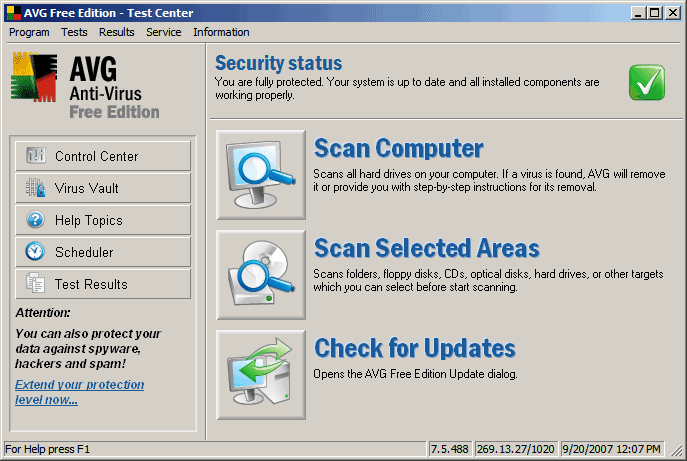
Perhaps the leading software companies of Kaspersky and AVG have finally gotten sick of being ripped off. If you will notice today, they have tightened their main flagship carrier, the virus definition updates and unless you have a truly certified copy, you will be blocked from enjoying the actual usefulness of the software for full-protection against viruses and Trojans online.

Apparently, some online users have used other mediums to be able to download and wisely crack full versions of anti-virus software. But while the program is easily downloadable, unless you have proper virus definitions, you are not really that protected. In fact, they are just additions to your system to which you may eventually be better off without them due to the load that they carry.

Download agents like file-sharing online has become a good source for most. Torrents are famous for this but this includes being susceptible to malware and Trojans, files familiar if you are fond of getting them free. These said files come complete with cracks and serial code generators, initially making users believe that they saved a lot of money from the official and licensed versions.

But today, you may see that certain updates are monitored and while you may have more than one serial for full version capability, you will be eventually blocked by their network, showing you that your serial has been blacklisted and place you in the trial version state.

Anti-virus protection is important. But to get supreme protection, you have to pay for it. So if you want to worry free protection, it would be best to get the licensed version. Say goodbye to the freebies and of course the Trojans.

Tags: , , , ,

Categories: IT Security Basics, Network Security, Spyware

1 Comment

Check Out Where you Download Music

Written by Saran on September 27, 2008

Downloading files such as audio on the web is nothing new. In fact, it has become an addicting way to get good music absolutely free. But before we do go on enjoying this privilege, we also have to take into consideration that freebies can provide us more than good files to cherish. They can also carry viruses to which many of us may not be totally aware off.

One thing about viruses is you cannot immediately pinpoint them. Unless you have a very reliable virus scanner, chances are you may not even be aware that you have malware or viruses on your computer. This has been proven before. Not until you are able to do a proper scan for potential security threats to your computer and the files in it will you wake up and see at the mess you have downloaded. You may have gotten the files free from the web but you also have bonuses like having a totally infected computer for all your effort.

This is not new to us anymore. We have been hearing such problems from friends or even reported in leading websites such as technology-based articles. The threats are for real. Apparently we just choose to ignore these warnings at times and while single computers can be remedied, what if you are a workstation inside a network?

Viruses and Trojans can easily make their way and multiply to other sites. Through connectivity which a single PC may have, it would not be surprising to note that having lurking viruses that can spread like crazy can really occur.

Tags: , ,

Categories: Malware, Network Security, Spyware

1 Comment

Virus Catching is Harder than Actual Hunting

Written by Saran on September 11, 2008

Viruses may seem to be the tiniest and easiest prey to figure out with the right software but as far as catching them as guinea pigs and advanced study has to be the developer’s nightmare since they are not easy to catch. Further, if they are not properly isolated and understood, one false move may result into something entirely dangerous for the computer and even the network should that certain computer be connected to a local or wide area network.

We tip our hats of to the anti-virus developers. Without a doubt, they work hard and provide updates as often as possible so that these viruses can be easily understood. Also, preventive measures in order to avoid them from creating problems such as becoming gateways for outside hackers or perhaps even becoming a threat towards system resources are just a few of the mischief that they cause.

Apparently such is the story of such people who have long and toiled to help protect us from potential risks by these viruses. But if you could understand in full on how they deal with these things, then perhaps you may find it harder than the standard animal hunting that we all know of.

Anti-virus companies play a losing game. Casting their nets wide, they catch common, malicious viruses and worms (known to the industry as “malware”), but it may take days before their software updates can prepare your computer for the next attack. By then it could be too late. And some insidious programs prove immune to anti-virus software, residing inside your computer for months or even years, collecting personal information and business secrets.

Source

Tags: , , ,

Categories: Malware, Network Security, News, Real-World Issues, Spyware

Leave a Comment